Fil rouge · N° 03 · Home
My 2012 Kindle landed a permanent job
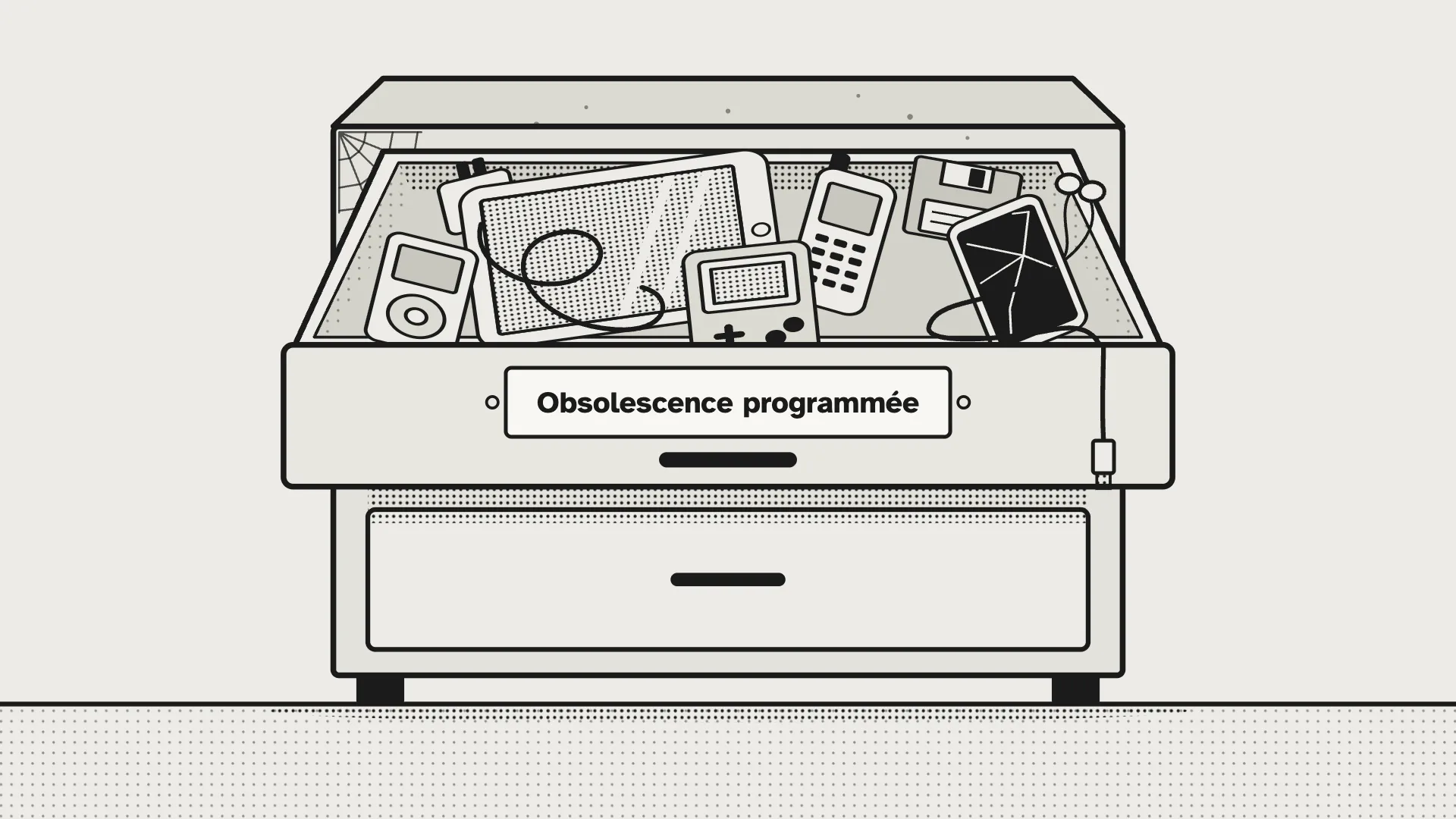
For years, my 2012 Kindle Paperwhite led the quiet life of things that “might still come in handy”: at the bottom of a drawer, on indefinite furlough.
It just landed a permanent job. Hung on the kitchen wall, plugged in, never on standby, it shows the whole family’s day. No probation period, no meal vouchers, and it never asks for a raise.
The idea had been sitting in the back of my mind for a long time. It would probably have stayed there a few more weeks if a colleague, Stéphane Châtelet, hadn’t shown me a similar project: a $50 digital photo frame from Amazon, turned into a family dashboard following Wes Bos’s article and his photo-frame-dashboard repo.
Expected reaction: buy the frame. Reaction of a geek with a twisted mind: “Two days for delivery? That’s plenty of time to find another way.”
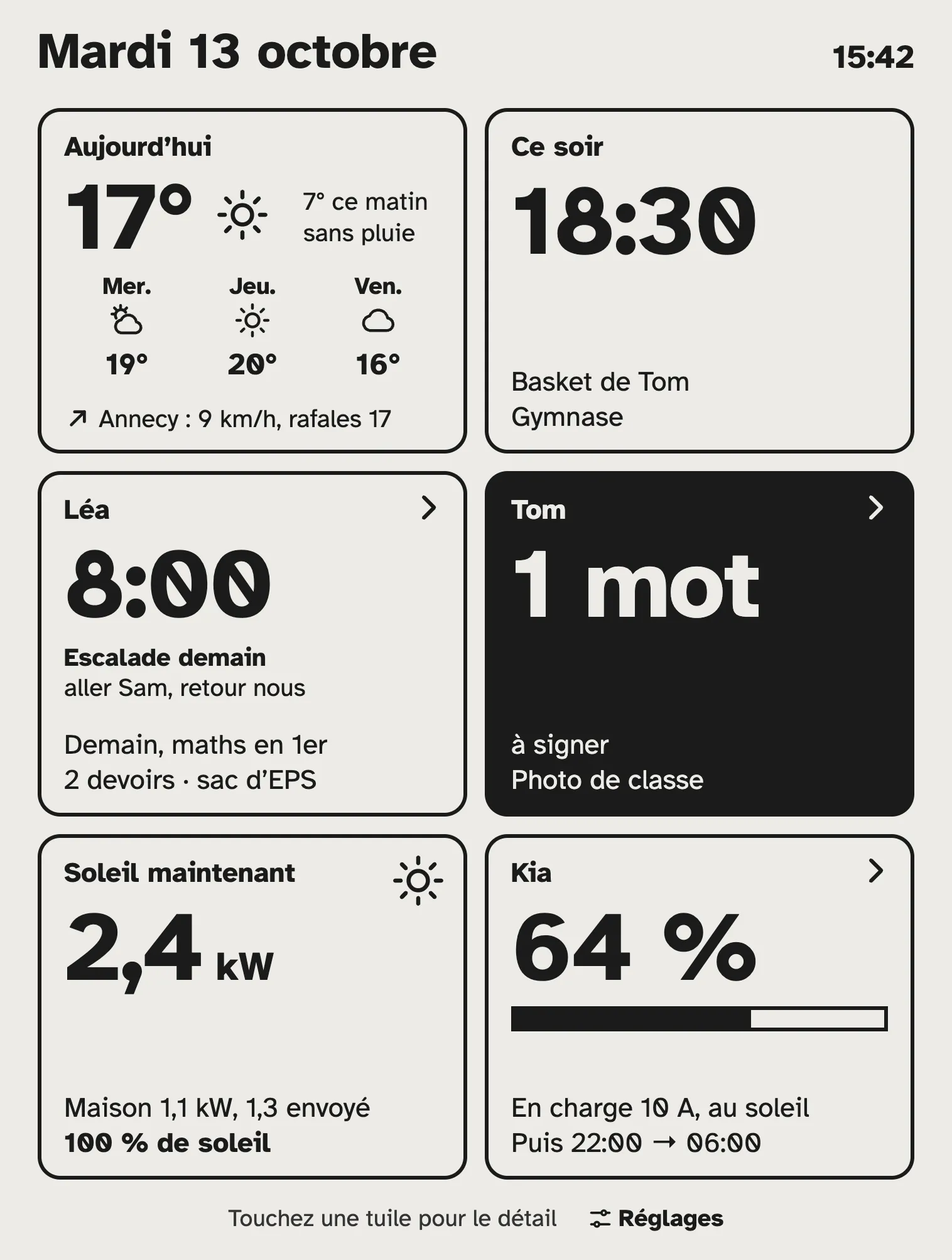
What it shows today
Six tiles, one for each question we ask ourselves in the morning, usually while looking for our keys:
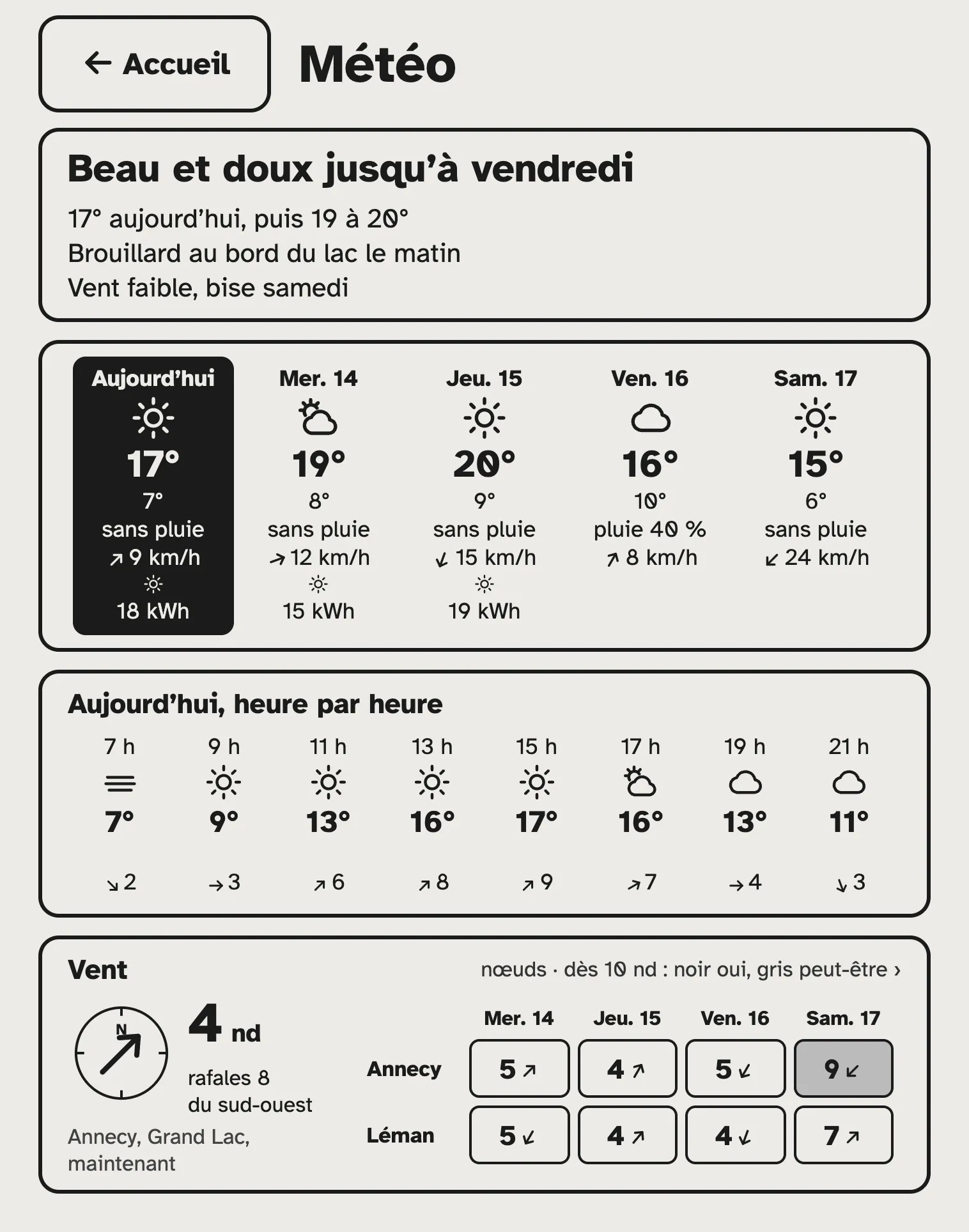
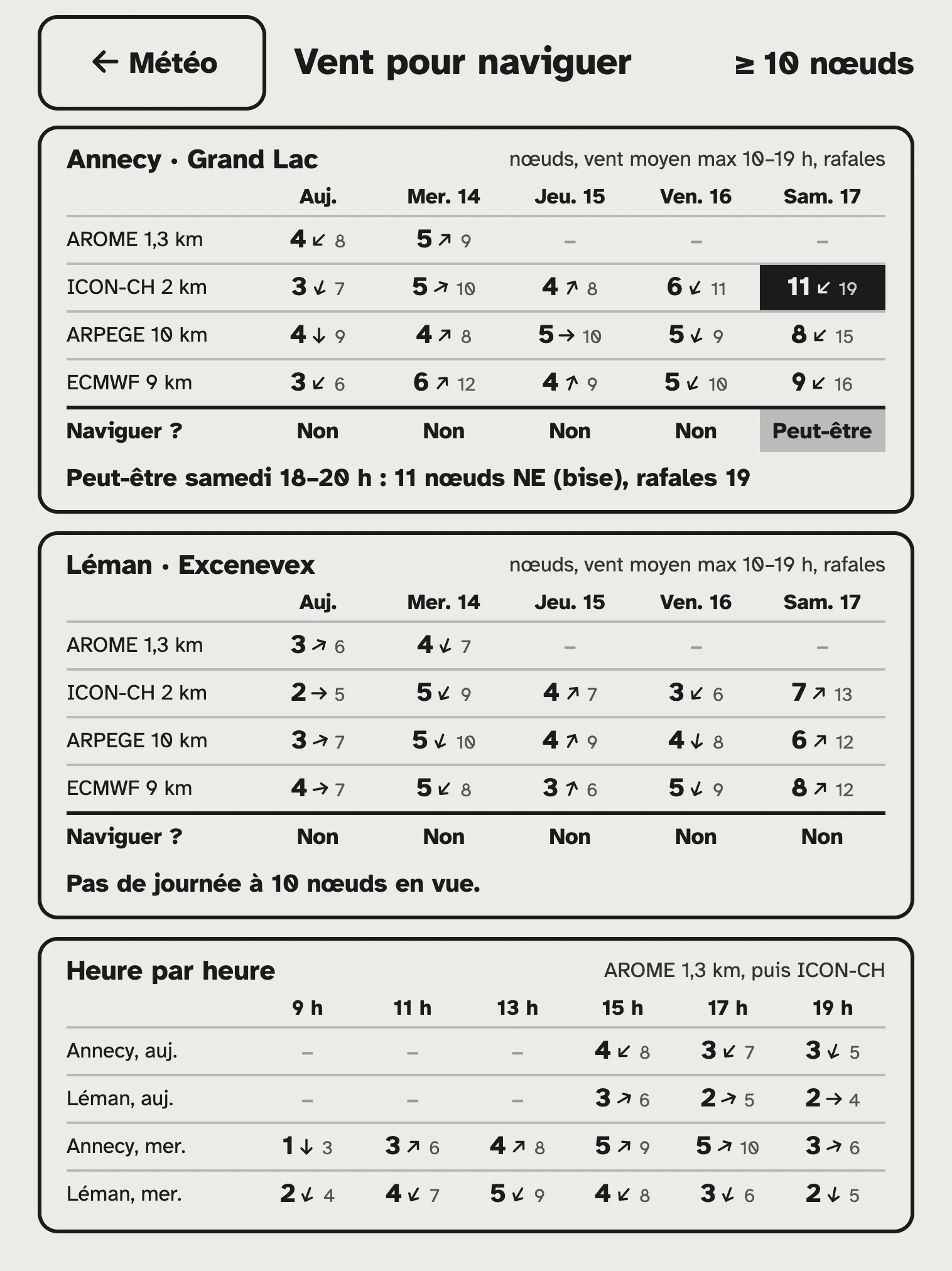
- Weather: the next few days, and above all the wind on the local lakes. Because beyond pleasing my daughter, for whom “what to wear” seems to be the only existential question before leaving for middle school, what matters to me, weather-wise, is: am I taking the foil out this week?
- Calendar: the family’s next appointment, before it becomes the forgotten appointment.
- One tile per child: tomorrow’s first class, homework, and the note to sign that we forget every other time (because logging into the school portals, ONE or École Directe, is one more bit of friction in our daily lives). Plus who’s driving to climbing (among a group of parents who take turns with this “chore”).
- Sun: what the solar panels produce and what the house consumes, live. Perfect for guilt-tripping every kettle and every extra degree on the underfloor heating.
- Car: the battery, the next charge, and a tile that turns black to shout “Plug in the car!” when the sun is producing for nothing.
Each tile opens its own detail view. The weather compares four wind models, including AROME at 1.3 km: one wasn’t enough for my foil-addict anxiety.
The house tells the story of its energy day, circuit by circuit. The car has its charging plan until the next morning: you can force a charge or skip the night, with a confirmation, because we’re talking serious here baby.
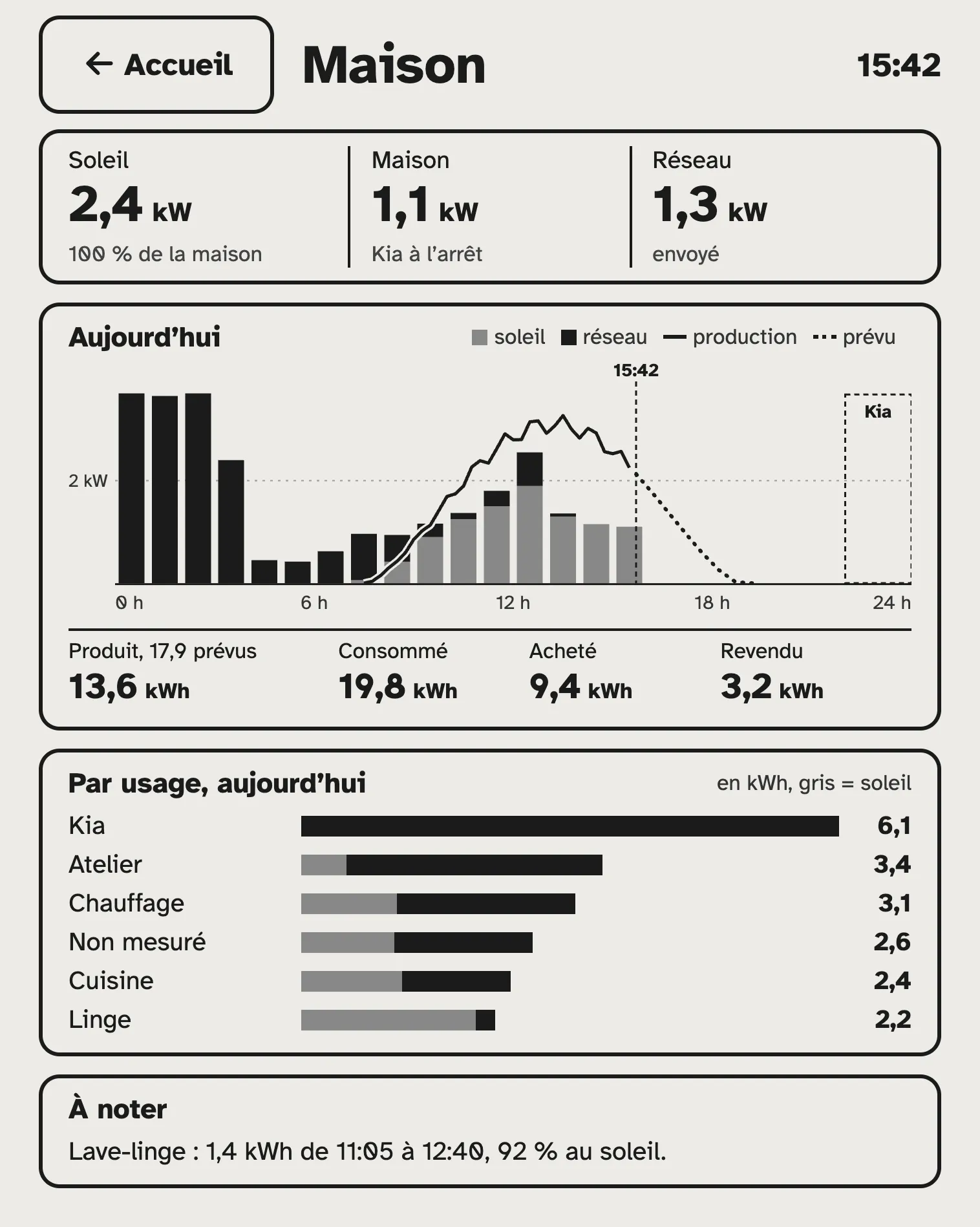
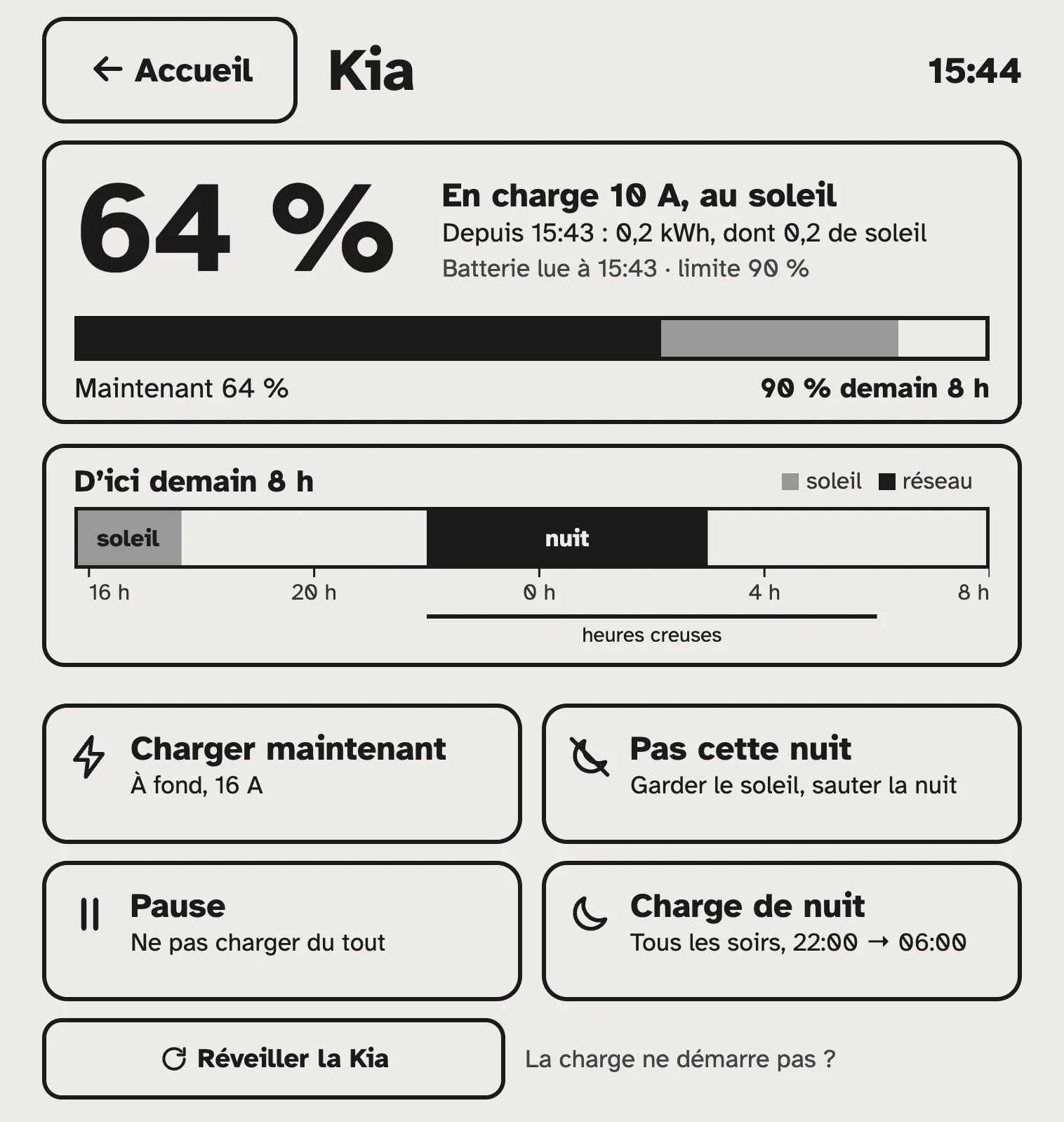
And to keep an eye on all this away from home, there’s a phone version.
Why not just a tablet?
A tablet on the wall is a screen that wants your attention. It glows, it goes dark, it sends notifications, it offers an update, then another one.
The Kindle isn’t really the flashy type. E-ink doesn’t glow, reads in broad daylight like paper, and only draws power to change the picture. The home screen refreshes itself every three minutes, and this screen has no impact at all on your Screen Time in iOS: zero guilt.
Apparently, designers call this “calm technology.” (Implying the rest is angry technology?)
One more useless “smart” device?
Wes Bos sums it up very well in his article: these connected frames are Android tablets in disguise, and a Trojan horse for a monthly subscription.
Here, the math is quick:
- Subscription: zero.
- Extra cloud: none, the server already runs at home for plenty of other reasons.
- Hardware bought: nothing.
- Apps brought together: about ten (weather, calendar, school, carpool, solar, car), on a single screen.
- Features nobody uses: none. My wind threshold, the climbing carpool, the note to sign: no off-the-shelf product will ever do exactly that.
- Extensible: if I get a new idea tomorrow (and believe me, I will; actually, I already have plenty), adding or changing a module takes a handful of minutes.
To put it simply: it’s useful (not essential) and it’s free.
A few hours, a 2012 Kindle and some elbow grease
I started with mockups, like a responsible adult. Claude Design offered me four directions: “The Front Page,” “The Tiles,” “The Thread of the Day” and “The Fridge.” The tiles won this round.
Then we wrote the server, the tiles, the connections to the data sources and the tests. I did what every good agent manager does: choose, decide, test, and type in the passwords.
The real final boss was the Kindle’s browser: no flexbox, no grid. So everything is rendered server-side, in HTML tables, like in 2008. My 2008 self is very proud; my 2026 self is almost nostalgic.
Even the jailbreak had its moment: the latest version fails on this Kindle, too old for its certificate. The fix: the version before. Sometimes progress means going backwards.
(Not so) fun fact: Opus 5.5 gave me a bit of a hard time debugging the jailbreak. Ethics and safety concerns, supposedly. It did 90% of the work for me, then refused to go and read the last mile, even though it’s well documented in GitHub issues. I insisted, to no avail. Anthropic is clearly tightening the screws on safety by the day, but sometimes unwanted side effects like this one show up… This will probably be the subject of a future article.
Bottom line: two days from the drawer to the kitchen wall. And the first breakdown didn’t come from the 2012 Kindle, but from the connection to Kia, which changed its API along the way. (Read: yes, of course, a bit of maintenance is already rearing its head.)
What’s sleeping in your drawers?
P.S.: Since I built this, people often ask me whether this kind of screen exists in color. Yes, it does. And ever since, ads for color e-ink screens follow me everywhere. So please, stop bringing it up: I’m holding firm, but I can feel myself cracking. Buying a new screen for a project that was all about buying nothing: real smart.
For the geeks (everyone else can resume normal activities)
- The Kindle: Paperwhite 1 (EY21), firmware 5.6.1.1, 758 × 1024 in 16 shades of gray. WinterBreak2 v1.0.0, because v1.1.0 downloads its script from a site with a Let’s Encrypt certificate, whose root the firmware doesn’t know. Then Universal Hotfix, and WebLaunch tweaked for full screen.
- The browser: WebKit 534.26, Safari 5 level. No flexbox, no grid, no CSS variables, no modern HTTPS. Hence 100% server-side rendering: HTML tables, inline SVG, a few lines of ES5, over HTTP on the local network.
- The server: Node.js 24 and Express 5, as a Home Assistant add-on. Zero client-side framework, and 58 node:test tests. Yes, for a Kindle.
- Energy and the car: TWCManager, the open-source controller for my Tesla Wall Connector, which I’ve extended a lot over the years. It runs on a Raspberry Pi. It aggregates Enphase, Emporia Vue and the Kia (kia_uvo in Home Assistant), and it gained a “not tonight” command.
- The weather: Open-Meteo, with AROME France HD 1.3 km, ICON-CH2, ARPEGE and ECMWF for the wind.
- Family life: the iCloud calendar through Home Assistant (CalDAV), École Directe and ONE for school, and Cortidrive, the carpool app I’d written for the climbing families.
- The network: Tailscale on every device involved, nothing exposed to the Internet.
The server computes, the Kindle displays. The Kindle clearly got the better job.
For those who couldn’t be bothered to read and skipped straight to the bottom: well played. Here’s the video version, much tamer, in 45 seconds.